Photos and videos
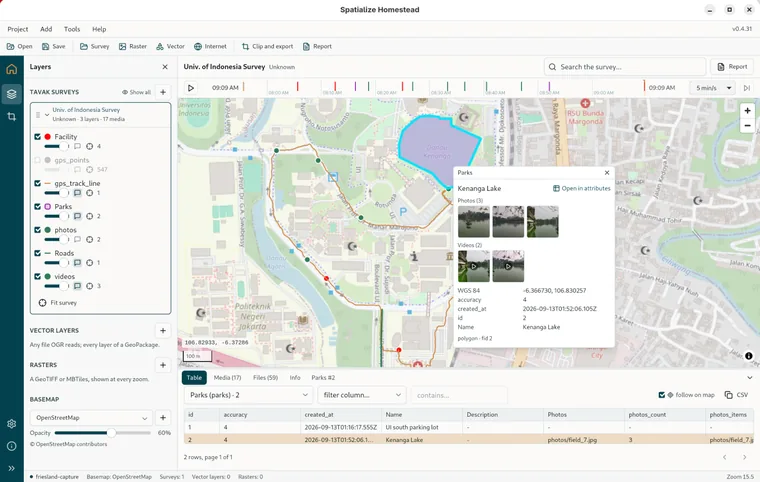
Everything the phone captured travels in the backup: the survey's own photos and videos, and the ones held in a form field on an object. Homestead shows them as thumbnails wherever the object appears, and full size in the lightbox.
The Media tab
Every photo and video of the active survey, laid out as cards with the thumbnail, the field it belongs to, its title, its layer, the capture date and the position. Filter to Photos or Videos, or to one layer and field from the dropdown. A media file the export did not carry is marked not in this export. Click a card, or press Enter on one, for the lightbox.
The lightbox
The photo at full size, or the video playing with its controls. ← and → step through the set you opened it from, Esc closes it, and Show on map flies to where it was taken. The footer gives the layer, the field, the capture date, the position, the heading, the duration, the file size, the tags and the description. If the export carries the originals alongside the watermarked copies, a button switches between original and watermarked.
Media on an object
A photo or video field on a layer holds a list of items. They appear as thumbnails in the identify popover, in the object panel and in the hover tip, grouped by field with a count, and clicking one opens the lightbox on that object's set. A search hit that turns out to be a photo or a video opens the Media tab on it. The PDF report puts the same thumbnails beside each row.