Tavak Documentation
The user guide for Tavak, the Android field surveying app: GPS data collection that does not need a signal, geotagged photos and videos, and exports any GIS can open.
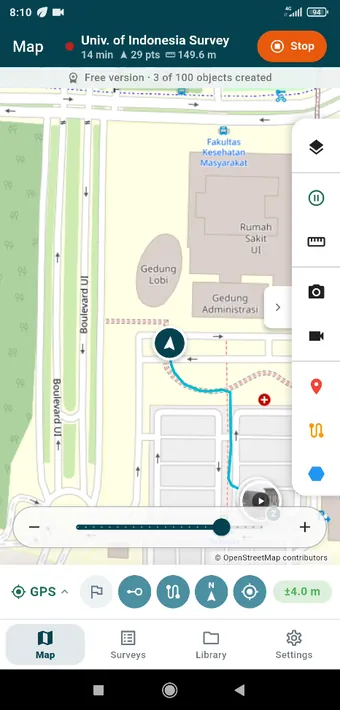
The screenshots in this guide come from Tavak 0.8.42–0.8.49 (September 2026), taken during a single survey walk around Universitas Indonesia in Depok.
Basics
- Getting Started — Install the Android app, grant the permissions, create your first survey, and find your way around the four tabs.
- Surveys & Sessions — A survey holds everything you collect on one outing: the GPS track, the photos and videos, and the objects.
- Map & Navigation — The Map tab is where you work: basemaps, the tools rail, and the GPS status as it changes.
- GPS Tracking — Satellite status, recording a track in the background, the accuracy gate, and averaging a GPS point.
Collecting data
- Photos & Videos — Taking geotagged photos and videos, naming them, and finding them again on the map.
- Points, Lines & Polygons — Draw objects on the map with the measurements updating as you go, describe them, and style each layer.
- Layers & Fields — Set up the layers of a survey and the fields each object carries, photo and video fields among them.
Getting data out
- Export & QGIS — One tap gives you a package any GIS can read: a GeoPackage, a QGIS project already styled, and whatever other formats you tick.
Planning & reference
- Destinations & Navigation — Waypoints to work through in order, with the distance, the bearing and an alarm on arrival.
- Landmarks — Reference points, lines and areas that stay put from one survey to the next: plot boundaries, base stations, access paths.
- Geofences — Boundaries that warn you as you cross them, so you stay inside a work area or know when a hazard is close.
Maps & data
- Basemaps & Offline Maps — Online basemaps that cache as you go, MBTiles packs you import, and your own georeferenced rasters.
- Import & Reference Layers — Bring GIS data you already have onto the phone, either as reference layers or by reopening an earlier survey.
- Data Management — The Library tab, the trash and how to restore from it, storage, and clearing caches.
Reference
- Settings Reference — Every setting explained: GPS, coordinates, drawing colours, the map, storage, photos and video, the camera, the watermark.
- Free Version & Subscription — What the free version gives you, the two limits a subscription lifts, how long it works offline, and managing your plan.
- FAQ & Troubleshooting — The questions that come up most: GPS signal, battery, storage, and getting data back.
Tavak Enterprise
- What Enterprise Is — The problem it solves, the two halves of the system, and how a first site gets going.
- Enrolling Phones — Tokens, QR codes, seats, and what a surveyor can see and do about it.
- Tavak Server — Sites, roles, the pages of the server and the live map.
- Deliveries, Sync & Messages — How surveys reach the server, how edits travel back, and how you write to the field.
- Forms, Deployments & Policy — Sending forms to phones, setting defaults, and locking what needs locking.
- GeoLibre & Homestead — Looking at the data in the browser and preparing material for the field.
- Security & Licence — Where the data lives, who can see it, the audit log, backups and the licence.
- Hosting & Getting Started — What the server needs, the four steps to a first delivery, and who to talk to.