Enrolling Phones
A phone joins your organisation by scanning a QR code. Once it has joined, it gets its forms and policy from the server and sends its surveys back. The rule to remember is simple: one phone, one seat, one surveyor.
How a phone joins
A manager creates an enrolment token in the surveyor’s name. The token comes with a QR code, and the phone scans it to join the site.
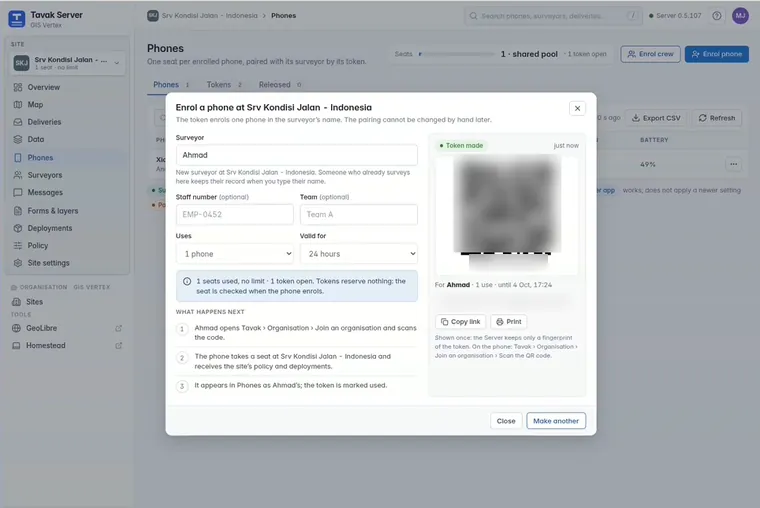
For a whole crew, paste a list of names. The server prints an A4 sheet with one QR card per surveyor, so you can cut the sheet up and hand the cards out.
Seats
A seat belongs to a phone, not to a person. When a surveyor gets a new phone, the old one is released and the seat moves with them. Seats are divided among sites, and whatever is left sits in a shared pool.
What the surveyor sees
Nothing is hidden from the person carrying the phone.
- The phone says who receives its position and how often.
- A locked setting stays on screen, greyed out, with a padlock and a sentence naming your organisation.
- The surveyor can leave the organisation whenever they like. Leaving lifts every lock.
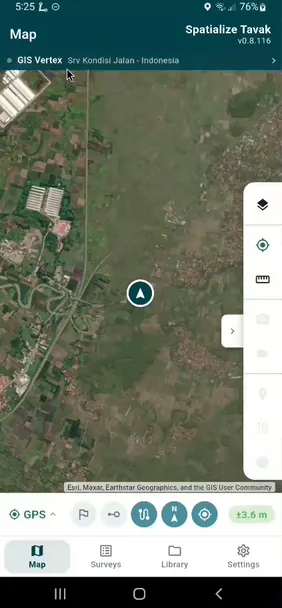
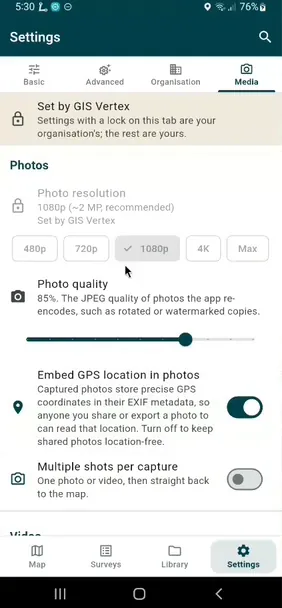
While a phone is enrolled, the app is provided by your organisation. There are no purchase prompts, and the surveyor has full access to the app.
Surveyors can always delete their own work. That is left off the list of things you can lock, on purpose.