One tap gives you a package any GIS can read: a GeoPackage, a QGIS project already styled, and whatever other formats you tick, zipped up with the photos and videos.
Starting an export
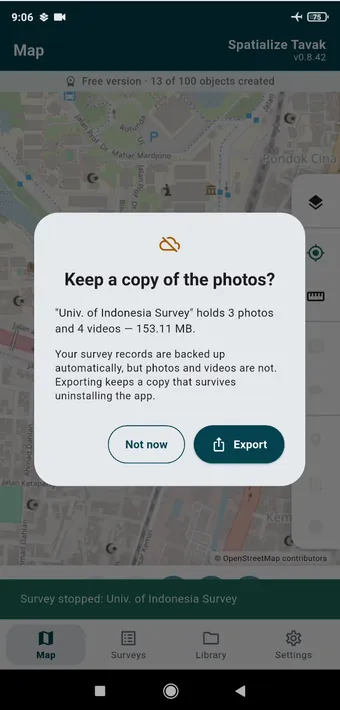
Stop a survey that has photos or videos in it and Tavak offers to export there and then. Your phone backs up the survey records but not the media, so an export is the copy that survives the app being uninstalled. Export is in every survey card’s menu as well.
What goes in
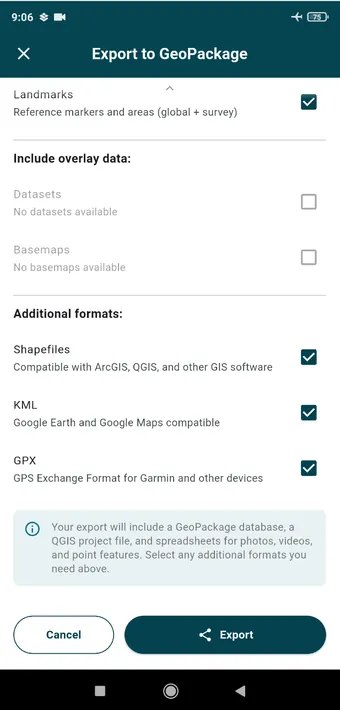
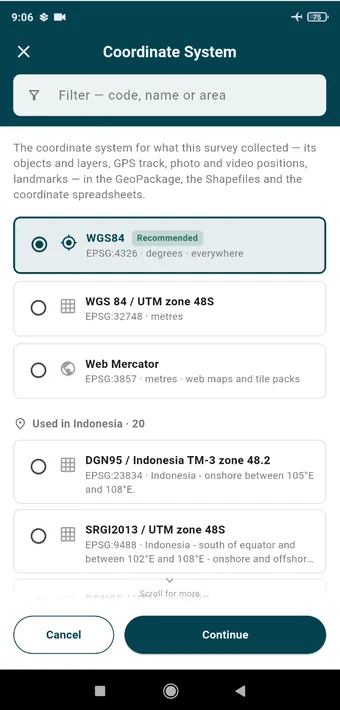
Export to GeoPackage. Bring in landmarks, and any datasets or basemaps as overlay data. Then pick the extra formats you want: Shapefiles for ArcGIS and the rest, KML for Google Earth, GPX for a Garmin. The GeoPackage and the QGIS project are always included.The coordinate system for everything the survey collected. WGS 84 is the safe choice and works anywhere. A projected system such as UTM zone 48S gives you coordinates in metres, and the list puts the systems used where you are near the top.
The result
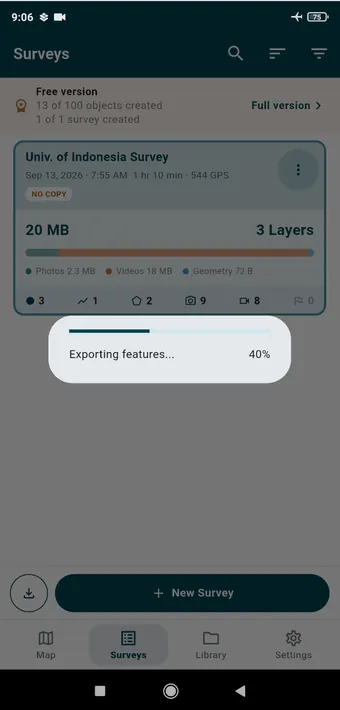
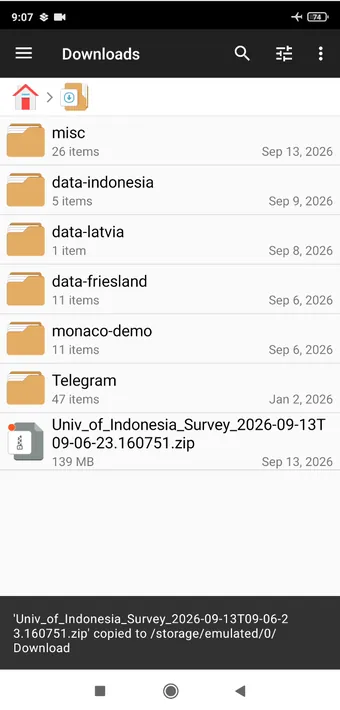
The export runs in the background with a progress bar on the survey card, so you can carry on working.The ZIP lands in the phone’s Downloads folder, named after the survey and the time. 139 MB here, most of it video. Share it from there, or copy it off over USB.
Inside the ZIP
survey.gpkg: one table per layer, the GPS track, the standalone photos and videos, and the landmarks, every geometry with an R-tree index.
survey.qgs: a QGIS project that opens the GeoPackage with the layers already styled in the colours you chose, labels switched on, map tips showing each object’s fields and its pictures, and attachment widgets that open the original photo or video from the attribute form. For QGIS 3.28 and 4.x.
photos/ and videos/: the original files, referred to by relative path.
Shapefiles, KML, GPX and XLSX coordinate sheets, if you ticked them.
Open the .qgs file rather than the GeoPackage and your fieldwork comes up on screen exactly as you drew it. Homestead reads the same package on the desktop.