What Tavak Enterprise Is
Tavak Enterprise is for organisations that send crews out to collect spatial data and want that data to arrive at their own server, set up the same way on every phone. It has two halves. The Tavak app on the surveyors’ Android phones, and Tavak Server in your office. A web GIS and Homestead sit beside the server for the people who analyse the data.
The short version of all this is a PDF you can pass around: Introduction to Tavak Enterprise (PDF, about 2 MB).
The problem
Field teams do careful work, and a good part of its value gets lost on the way back to the office. These are the four things we hear most.
- Files arrive late. Surveys travel by email and chat, one file at a time, often days after the work was done.
- Every phone is set differently. One surveyor records in UTM, another in degrees. Accuracy limits and photo settings change from person to person.
- Photos lose their context. A picture without a position, a time and a project name proves very little a year later.
- The office cannot see the crew. Managers find out where people went and what they collected only after the fact.
The two halves
| Part | What it does |
|---|---|
| Tavak app | Runs on Android phones in the field. It works offline, records GPS tracks and objects with their forms, and takes stamped photos and videos. |
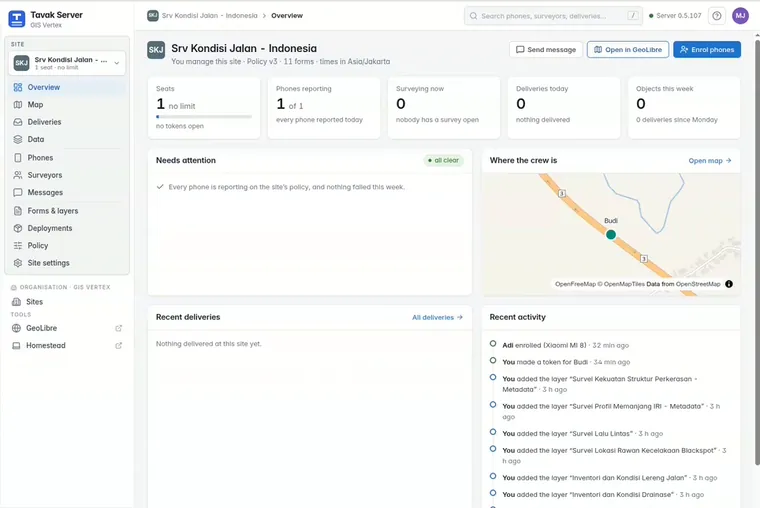
| Tavak Server | Runs on your own machine and is used in a browser. You enrol phones, set policy and follow the crew. Every survey ends up in your PostGIS database. |
| GeoLibre and Homestead | A web GIS for analysis, and Homestead for preparing data. Both are installed beside the server. |
What the app does in the field
The phone app is the same Tavak described in the rest of this guide. Everything is saved on the phone first, so work carries on with no network. The Enterprise edition adds enrolment, delivery to the server, and the policy your organisation sets. Here is where to read about each piece of the app itself:
- Basemaps & Offline Maps for the built-in basemap, MBTiles packs, and your own GeoTIFF and GeoPDF files.
- GPS Tracking for live accuracy, the minimum accuracy for capture, averaging and the tracking modes.
- Points, Lines & Polygons and Layers & Fields for survey layers, forms, snapping and measuring.
- Photos & Videos for the stamp, the corner map, and the original that is kept beside the stamped copy.
- Destinations, Landmarks and Geofences for finding the way and knowing you have arrived.
- Export & QGIS for GeoPackage, the QGIS project, the other formats and the
.tavakarchive.
In an Enterprise setup, destinations can come from the office with the job. The surveyor marks each one as to do, in progress, done, or skipped with a reason, and that status goes back to the server. Whether surveyors may export and share at all is your organisation’s call, and it can lock that (see Forms, Deployments & Policy).
Where to go next
- Start with Hosting & Getting Started if you are deciding whether this fits.
- Read Enrolling Phones and Tavak Server if you are setting up a crew.
- Read Security & Licence if someone needs to sign it off.